
Behind the MangoesToMetro store sits a custom ordering system built specifically for it. This case study explains what it does and how I put it together. It is written for anyone considering something similar for their own business. The short version: an order should arrive complete, land in one place, and keep the customer informed. Nobody should have to remember to do it.
What happens after you press Place Order
From the buyer’s side, pressing the button is the end of the job. Underneath, the same sequence runs every time. It does not matter whether this is the first order of the season or the fiftieth.
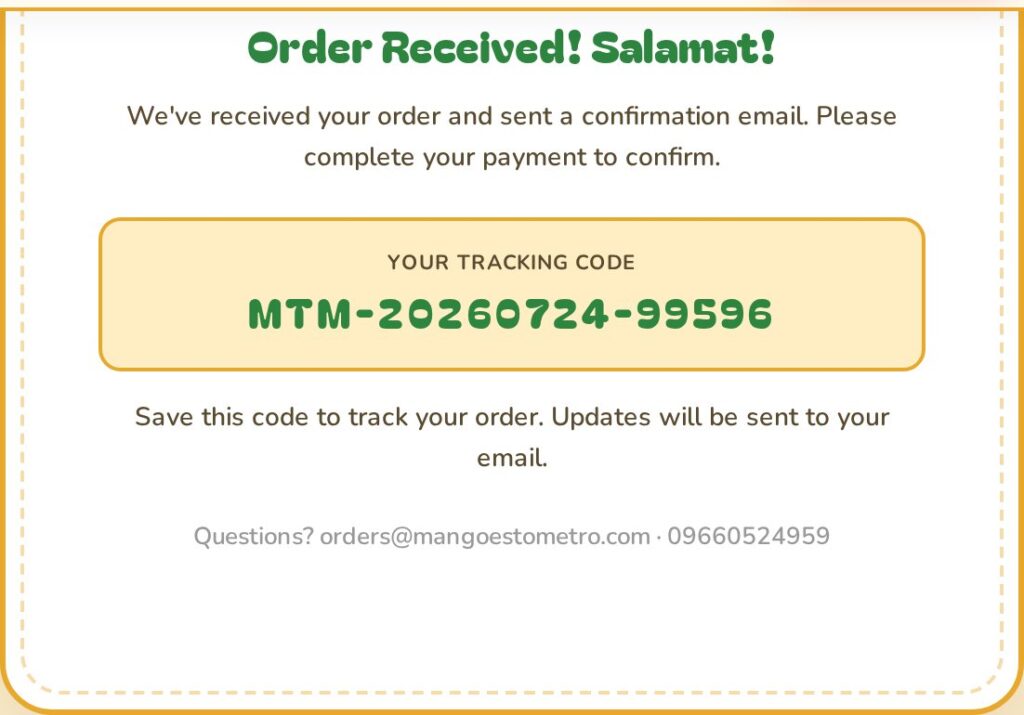
First the system checks that a person sent the submission, not an automated script. Then it validates the details: a real delivery area, a sensible number of boxes, a usable email and phone number. It inspects the uploaded proof of payment before accepting it. If anything fails, the buyer sees exactly what to fix rather than a generic error.
Once the order clears those checks, the system saves it with a tracking code and sends a confirmation email automatically. Nobody has to be awake for this to happen.
Every order in one place
The team sees one list. Every order has the same fields in the same columns. Those are tracking code, buyer, contact number, quantity, total, payment method, status and date. A search box and a date filter find a specific order. An export button pulls the day’s orders into a spreadsheet.
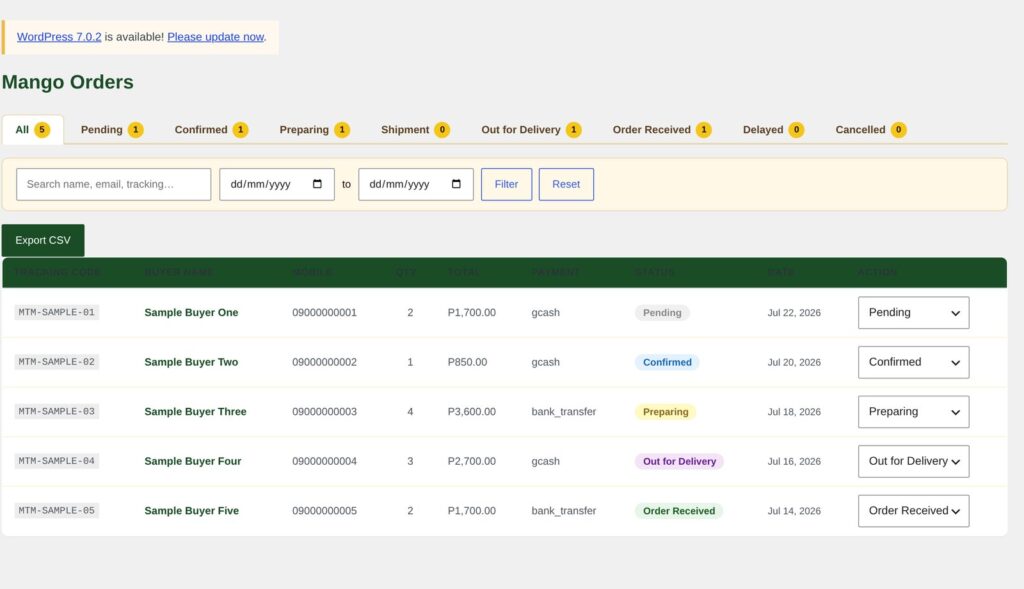
This is the part that replaced the manual coordination. There is no scrolling back through a conversation to find an address, and no two people keeping separate notes.
Stages a customer recognises
An order moves through stages named after real things rather than internal jargon. Those stages are pending, confirmed, preparing, shipment, out for delivery and order received. Two more exist for when reality intervenes: delayed and cancelled.
The stages are not just labels. The system knows which moves it permits. So an order cannot jump from pending straight to delivered, and it cannot quietly go backwards. That sounds like a small thing until several people update orders during a busy week. It means the status a customer sees is one the team can actually stand behind.
The counts along the top of the dashboard show how many orders sit at each stage. A glance tells the team where the work is today.
Keeping payment details safe
Buyers upload a screenshot of their payment, which means the store accepts files from the public internet. That is the single riskiest thing a small shop can do, so it needed careful handling.
The plugin accepts only images and PDFs. It checks the type in more than one way rather than trusting the file’s name. It then stores the file under a generated filename, not whatever the sender called it. It also screens the submission for automated abuse first. Spam therefore never reaches the order list.
The system controls who can see what, deliberately. Rather than handing everyone a full administrator account, it defines separate roles. Staff who run orders day to day get one. Partners who need visibility without the ability to change anything get a read-only view. Only the roles that need it can export orders. Sign in happens through a dedicated branded page. The plugin also closes off the standard WordPress login address.
What the team sees
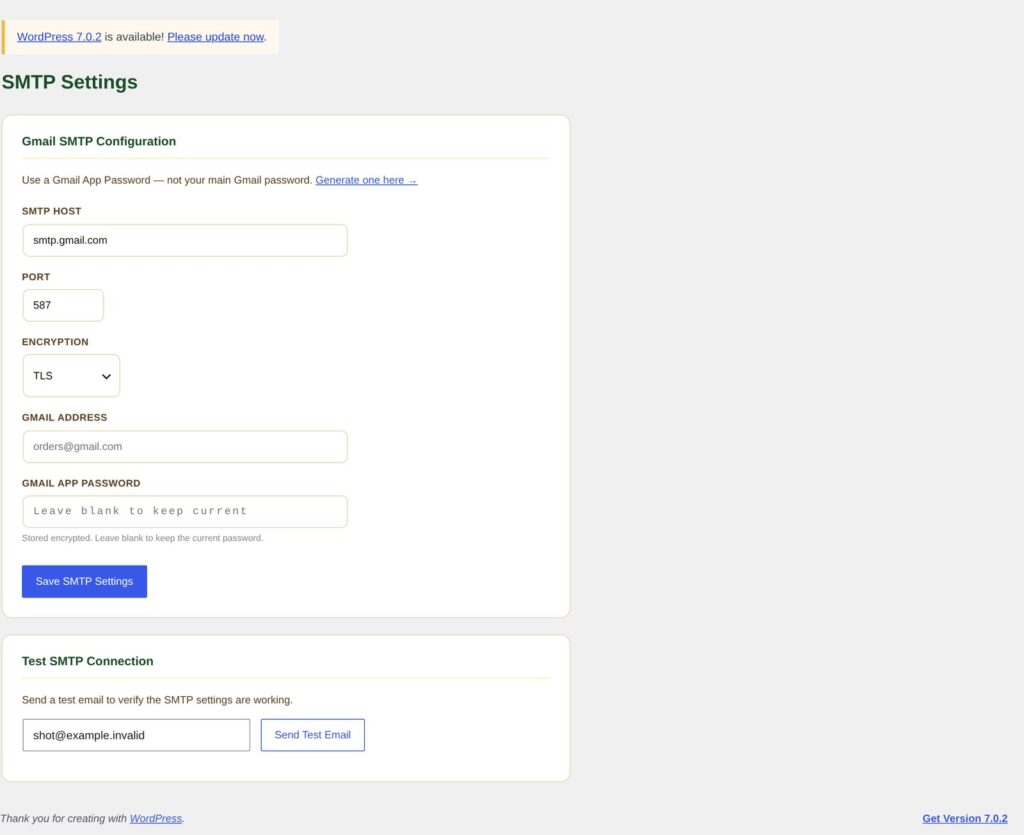
The plugin sends confirmation emails through a properly configured mail service, not whatever the web server does by default. Order confirmations landing in spam are worse than never sending them.
The plugin emails DTI a summary of the day’s orders at a set time each day. The partner organisation stays informed without anyone compiling a report by hand.
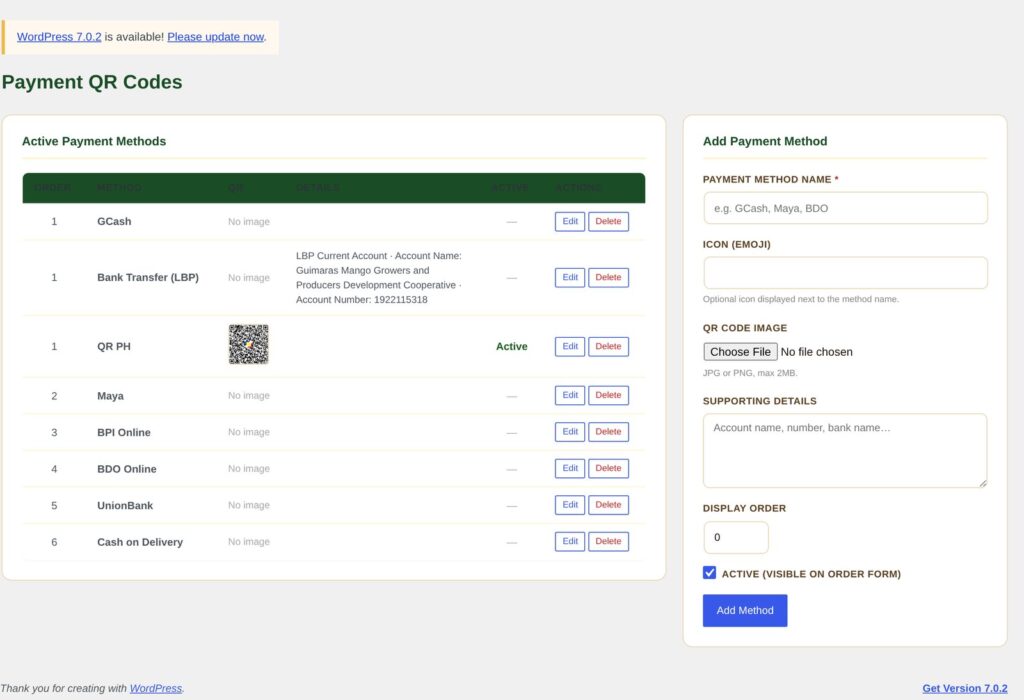
The team manages the payment QR codes from the dashboard. When the account details change, someone updates them in a form. No developer, no deployment, no waiting.
Things a client can change without a developer
This is the part that decides whether a system stays useful after handover. Pricing per box, the maximum boxes per order, the sender details on emails, the daily report time and the spam protection keys are all fields on a settings form. None of them is a value buried in code, so none of them needs a developer to change.
When the season ends, the team can swap the ordering panel for an out of stock notice. That beats collecting orders nobody can fill. When the season returns, ordering comes back.
How I built it, and why that matters to a client
Every change to this system shipped with an automated test written before the code. Those tests had to pass before anything merged. On top of that, every change went through two independent reviews.
For a client, this is not a technical detail. It is the difference between two systems. In one, a fix to one thing quietly breaks another. In the other, the safeguards catch it first. It also makes the system safe to hand to someone else later. The tests write the behaviour down instead of leaving it in the original developer’s memory.
What a client gets
A custom WordPress plugin that takes orders and keeps them in one dashboard. It moves them through stages the customer understands and handles payment proof safely. It sends confirmations, reports to a partner organisation daily and exports to a spreadsheet. A settings page adjusts all of it, so nobody edits code.
I built it for a specific problem. That means a seasonal product, a single box size and two delivery areas. Payment arrives by QR code, with a screenshot as proof. That focus is why it beats a general purpose shop system carrying features this store will never need.
Want the technical version?
Engineering a secure WordPress ordering plugin covers the detail behind all of this. That includes the order state machine, the upload hardening and the export handling.
Or see it running: mangoestometro.com.